
How To Add Skills to Your LinkedIn Profile
Want to show up in more LinkedIn searches? Recruiters and others are always searching for people with specific skills. Here's a quick way to get preferential rank-stacked in those LinkedIn searches.
Why you should add Skills to your LinkedIn profile
According to LinkedIn, "adding specific skills to your LinkedIn profile allows you to showcase your abilities to other LinkedIn members."
Skills and endorsements can be thought of as the new keywords on LinkedIn. While including keywords in your Headline is probably the best way to optimize your ranking in search results, adding skills to the Skills section can certainly help when recruiters are looking for the perfect job candidate. It's also a great way to attract collaborations.
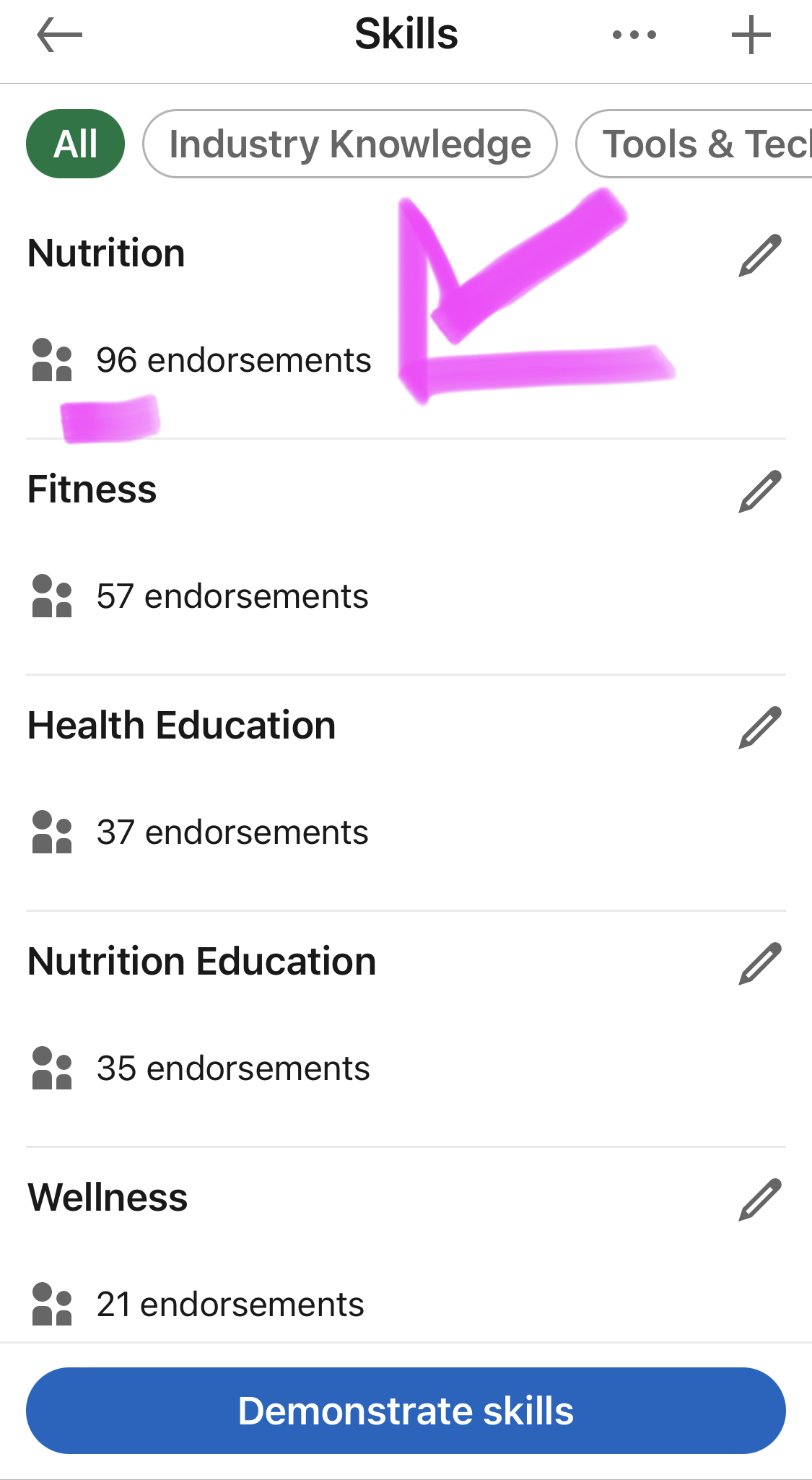
You can pin the top 3 skills to the top by re-ording your list. You can add up to 50 skills. Read on to learn how to add and manage your skills.
How to add Skills to your LinkedIn profile
LinkedIn offers detailed instruction on how to add skills to the Skills section of your profile. In general, there are 3 ways to highlight your skills:
- Add your skills to the Skills section - Easy.
-
Add your skills to each job or position in your Experience section - Adding different skills to your Experience allows you to include job-specific skills associated with a position. These skills included in your Experience will appear under the Skills section as well. See the graphic below highlighting skills in your Experience section.
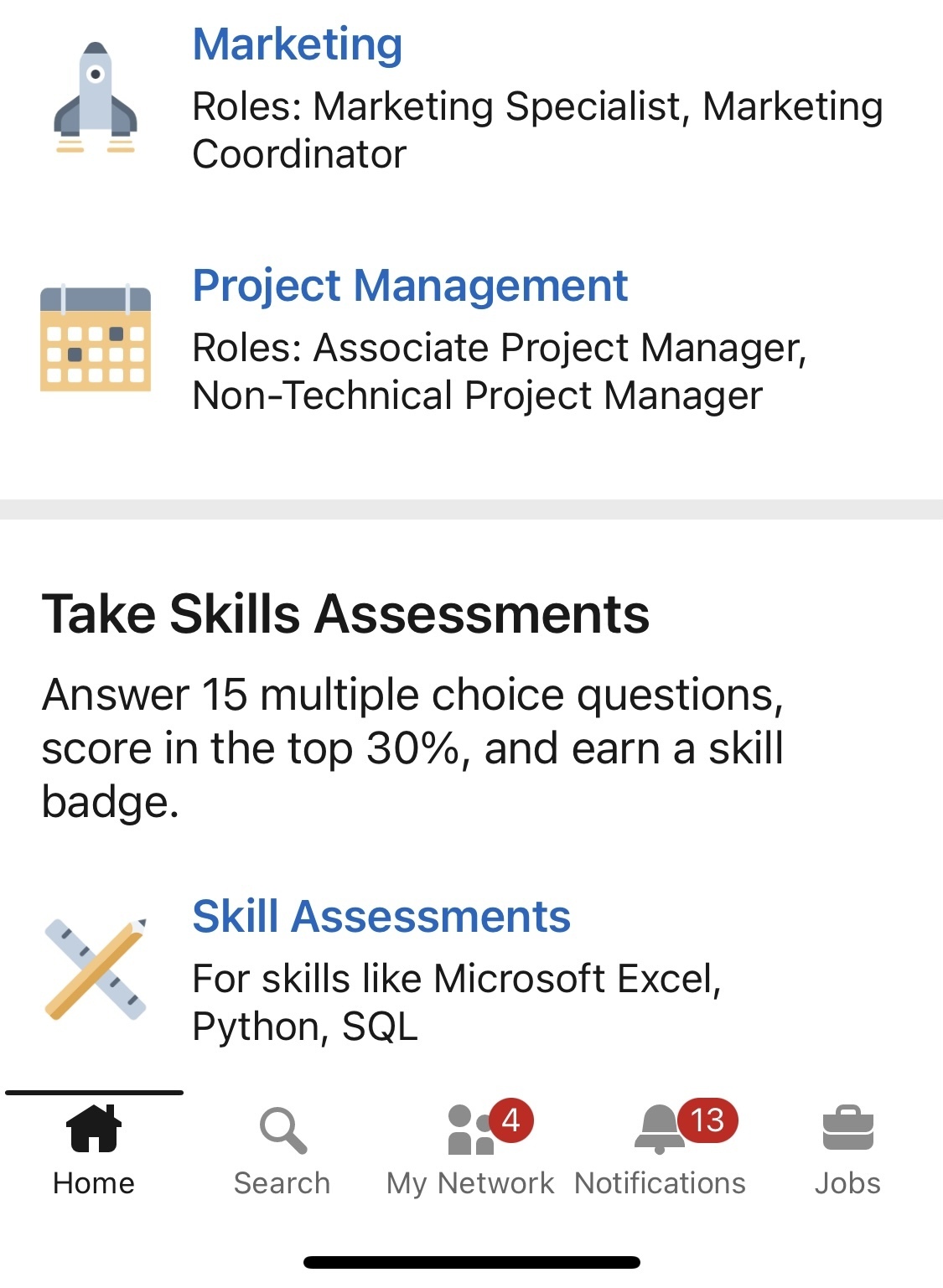
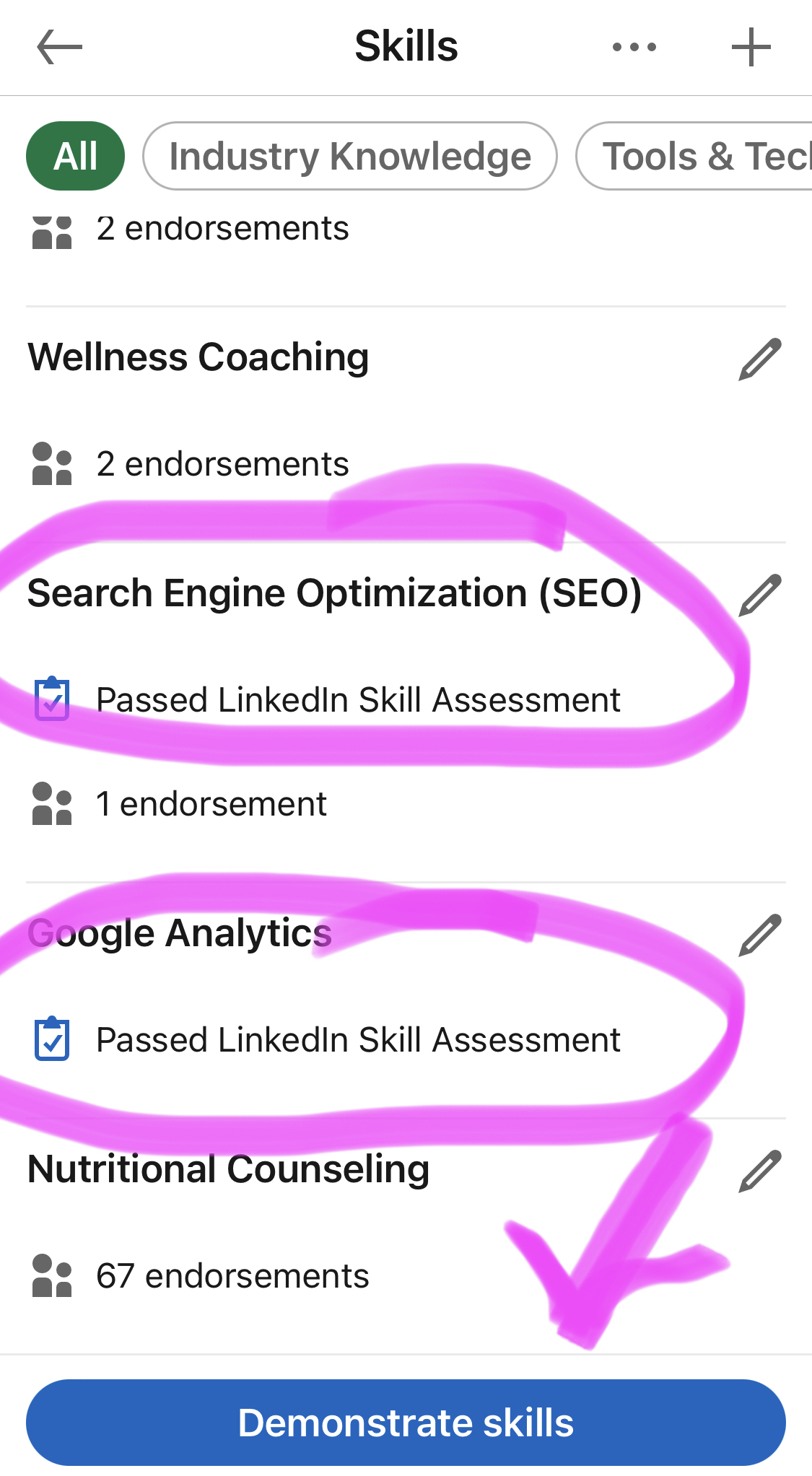
- Earn a Skill Badge - By taking a skill assessment, such as computer languages, computer applications, or technical skills, you can earn a Skill Badge that is identified on your profile for others to see. You just need to answer 15 multiple choice questions, score in the top 30%, and earn a skill badge. You may receive a link to the assessment because the recruiter for the job you’ve applied to has listed a skill as a Desired Skill. See the graphic below highlighting how to Demonstrate Skills to earn a Skill Badge.
To add the Skills section and skills:
- Click the
Me icon at the top of your LinkedIn homepage, then View Profile. - Click Add profile section button in your introduction section.
- Click Core and select Add skills from the dropdown.
- In the Add skill pop-up window, you can:
- Type the name of a skill and select it from the dropdown list that appears or select a skill from Suggested based on your profile. Once selected, it is automatically added to your list of skills.
- Select the checkboxes that show where you put this skill to use.
- Click Save.
Repeat the above steps to add more skills to your profile.
To remove skills:
- Click the
Me icon at the top of your LinkedIn homepage, then View Profile. - Scroll to the Skills section and click the
Edit icon. - In the Skills page, click the
Edit icon to the right of the skill that you want to delete. - Click Delete skill on the lower left , and then confirm Delete.
To reorder your skills:
- Click the
Me icon at top of your LinkedIn homepage. - Click View Profile.
- Scroll down to the Skills section and click the
Edit icon. - Click the
More icon on the upper right of the Skills page. - Click
Reorder from the dropdown. - In the pop-up window, click and drag the
Sort icon to the right of the corresponding skill you'd like to reorder.

How to get endorsements for your skills
According to LinkedIn, "once you've added a skill to your profile, your skills can be validated by 1st-degree connections to reinforce their weighting. These are called skill endorsements, which are different than recommendations. When a connection endorses your skills, it contributes to the strength of your profile, and increases the likelihood that you'll be discovered for opportunities related to the skills you possess."
By having more endorsements for your skills, you can boost your search ranking for that skill.
You can also endorse your connections' skills. LinkedIn shares, "endorsing your connections’ skills is a way to recognize any professional abilities that you’ve seen them demonstrate. You may be asked to provide feedback on skills and endorsements. Endorsing your colleagues can also help you to maintain strong connections with the people in your network. However, if you change your mind about a skill endorsement that you've given, you can remove it."
Examples of Skills to add to your profile:
Now that you know how and where to add specific skills to your profile, your next step if figuring out what skills to include in your profile. You also want to think about what skills other connections will want to endorse you for. Because those endorsements help validate your skills.
To determine which skills you include in your profile, start by thinking about what skills you want to be know for, or how you what to show up in search results.
For example, if you are a media dietitian and want to be known for your communication skills, you could list your skills as public speaking, copywriting, blogging, nutrition communication, and/or organizational management.
Here's a list of skills you might include as a dietitian:
- Blogging
- Brand ambassador
- Clinical nutrition
- Cooking demonstrations
- Copy editing
- Copy writing
- Culinary instruction
- Curriculum Development
- Diabetes education
- Eating disorders
- Enteral nutrition support
- Food service management
- Google Search Engine Optimization or SEO
- Gut health
- Nutrition communication
- Nutrition coaching
- Nutrition counseling
- Nutrition research
- Nutrition science
- Nutrition talks
- Pediatric nutrition
- Public Health Education
- Public speaking
- Recipe development
- Renal nutrition
- Research
- Social media
- Spanish language
- Telehealth
- Vlogging
- Wellness
- Wellness Consulting
- Writing
Aligning skills with job description
To align your LinkedIn profile skills with a job description when job searching, start by thoroughly reviewing the job posting for specific skills and qualifications the employer is seeking. Here’s a straightforward approach to ensure your profile matches these criteria:
- Identify Key Skills: Extract the most frequently mentioned skills and qualifications from the job description. These are likely the skills most critical to the role. For example, Customer Service.
- Match Your Skills: Compare these key skills with those listed on your LinkedIn profile. Ensure that the skills you possess that are also mentioned in the job description are prominently displayed on your profile. If they're not currently listed, add them. For example, Diabetes Educator.
- Prioritize Top Skills: LinkedIn allows you to pin three skills at the top of your skills section. Choose the skills that are most relevant to the job you're interested in to pin. This makes it easy for hiring managers and recruiters to see your most relevant qualifications at a glance.
- Use Exact Terms: It’s important to use the exact wording from the job description when listing your skills. Many recruiters use automated systems or an ATS to screen profiles, and matching the job description’s language can help ensure your profile passes through these filters.
- Showcase in Experience: Beyond just listing skills in the dedicated section, integrate them into the descriptions of your experiences and roles. This not only shows that you have these skills but also demonstrates how you've applied them in practical settings.
- Endorsements and Recommendations: Encourage co-workers and colleagues to endorse you for these key skills and request recommendations that highlight your expertise and experiences related to these abilities. These endorsements and recommendations add credibility and can boost your profile’s visibility in searches.
- Continuous Update: Keep your skills updated as your experience grows and as you notice trends in the job market. Regular updates ensure your profile remains relevant and can adapt to changing job market demands.

By strategically aligning your skills with job descriptions on LinkedIn, you enhance your visibility and appeal to potential employers, making your profile a strong match for the roles you aspire to secure.
Key takeaways
Adding skills to your LinkedIn profile is just another way to highlight your value as a dietitian. Take advantage of the opportunity to be found in search results by recruiters or others wanting to find someone with your expertise.
About the author
Stacey Dunn-Emke, MS, RDN, is the Founder Owner of NutritionJobs and an established dietetic career expert. She helps steer dietetic and nutrition professionals to a successful job search process with the top-ranked dietetic job board platform, NutritionJobs.com. Stacey is the author of The Dietetic Resume Guide and numerous dietetic career action-ables. She gives the tools to create a modern standout dietetic resume to land that job interview, help with job interview prep, and with creating Compelling LinkedIn profiles. Stacey has interviewed and hired many dietitians. Since running NutritionJobs in 2000, she has reviewed thousands of dietetic resumes. She works closely with dietetic hiring managers and recruiters to know the standout elements on a resume that land a job interview. Stacey speaks on successful compensation negotiation at professional conferences and frequently consults with the Academy of Nutrition and Dietetics at FNCE and co-created the webinar series, Dietetic Career Hack: The Complete Networking and Resume Guide and Dietetic Career Hack Part II: Interviewing Tips and Tricks. Her previous dietitian jobs have been in clinical, nutrition support, and research.
